
Styling parts of pages
In general you don't need to use any specific styling for pages as it is all catered for by the general BGA style sheet. This controls how lists, headings etc. are displayed.
Headings
The main heading styles used are H2 and H3, as below:
H2 style - major heading
H3 style - sub heading
Area Style
If you want to style an area of the screen then you can use something like the following:
Text here
</div>
Multi-column formats
You can use a table such as in http://www.britgo.org/hof/stacey, extracted below, although this creates messy HTML:
<table>
<tr><td>
<a href="/files/trophypics/stacey.jpg">
<img src="/files/trophypics/stacey-t.jpg" title="Stacey Trophy" alt="Stacey Trophy"></a></td>
<td>
<h3>Final Points 2009-10</h3>
1. 38 Matthew Macfadyen<br>
2. 34 Yohei Negi<br>
</td>
<td>
<h3>Top Place Getters 1990-2010</h3>
1. Francis Roads<br>
2. Alistair Wall<br>
3. Matthew Macfadyen
</td>
</tr></table>
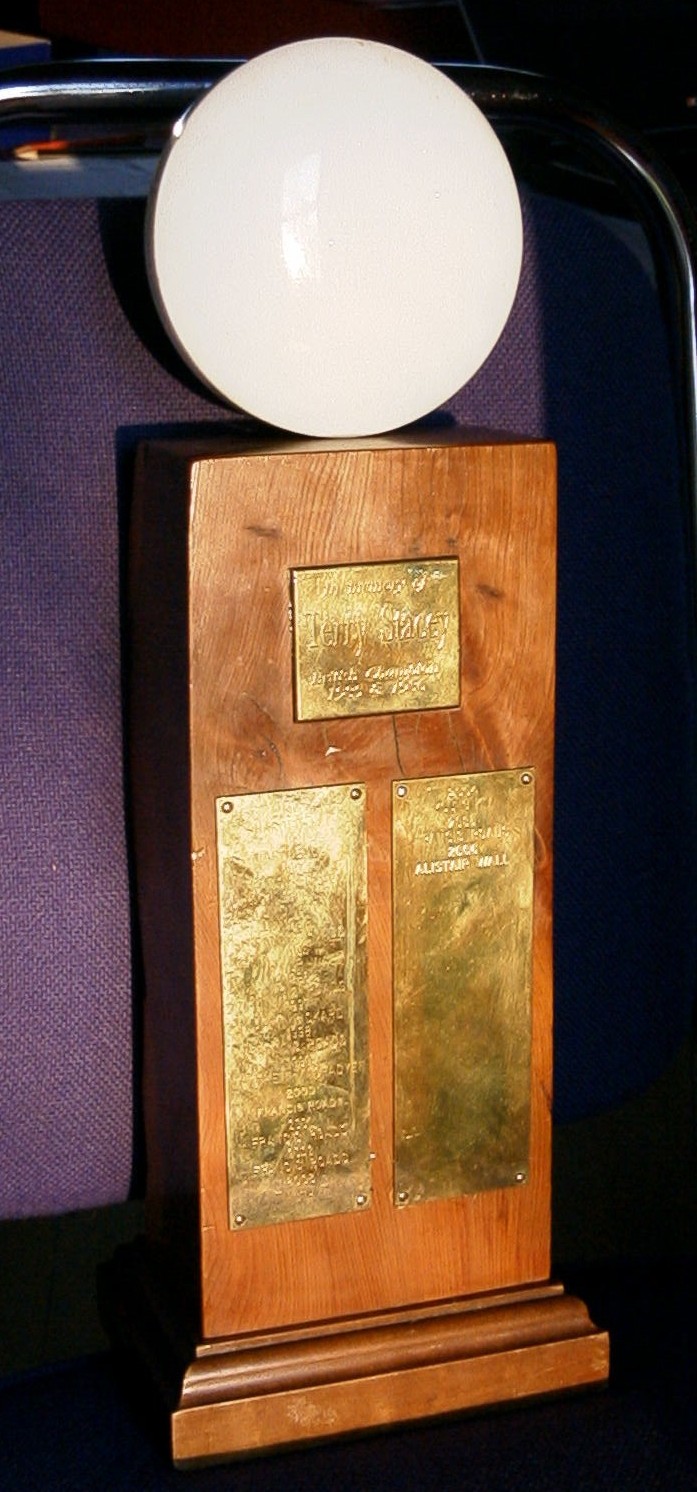 |
Final Points 2009-101. 38 Matthew Macfadyen2. 34 Yohei Negi 3. 22 Sandy Taylor |
Top Place Getters 1990-20101. Francis Roads2. Alistair Wall 3. Matthew Macfadyen |
Changing <td> to <td valign="top"> in the second and third columns would align the text at the top of the cells.
Note: If you use a table then you'll always get a horizontal line between rows and before/after the table. Also the total widths must be less than 100% to allow for Internet Explorer bugs.
An example of 3 column table format is the BGJ archive page:
<table>
<tr>
<td width=40% valign=top>
<p > These pages reproduce a selection of old (see note *below) British Go Journals and articles from them. </p>
<br>...
</td>
<td valign="top" width=27%>
<p align="center"> There is also a list of available <a href="/bgj/bgj_updt.html" > BGJs
sorted in order of web updates</a>.
</p>
<br>...
</td>
<td valign="top" width=27%>
<p align="center">Go to the most recent issues</p>
<br>...
</td></tr>
</table>
|
These pages reproduce a selection of old (see note *below) British Go Journals and articles from them. ... |
There is also a list of available BGJs sorted in order of web updates. ... |
Go to the most recent issues ... |
An alternative using pure CSS bits in a two column format is:
Left hand column
</div>
<div style="width:48%; float:right">
Right hand column
</div>
<div clear=all></div>
<div style="width:100%;float:left">
<
div style="width:100%;float:left">
See the front page or http://www.britgo.org/hof/trophies for an example of this.
However, this doesn't automatically align the various items from side to side as do the table examples above; but the front page shows how to achieve this.
Note: Due to some Drupal issue this must be the last text on the page.
If you have any comments, please email the webmaster on web-master AT britgo DOT org.