
Playing Go Online
There are two common ways in which you can use a computer to play Go with other people over the Internet - real-time and correspondence. On a real-time server, both players are logged on at once, possibly playing under a strict time limit. With correspondence play, players do not need to be logged on at the same time, they simply send their move at their leisure.
Real-time Go Servers
By far the most common way to get a game of Go on the Internet is by using a real-time Go server. All the ones described here use English as the main language, but there are other servers in Japanese, Korean and Chinese. Here are some general notes for using all such servers.
The one we recommend for beginners is Go Quest, accessed via Android/iOS apps.
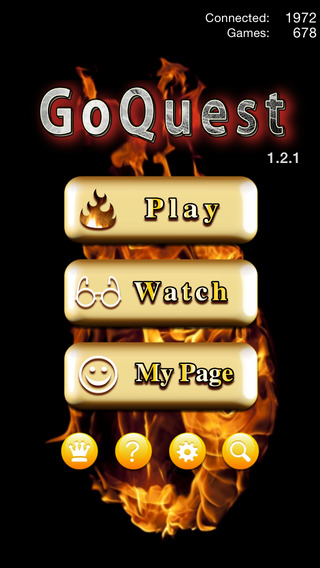
Go Quest
This server only supports 9x9 and 13x13 games, thus it is extremely suitable for beginners despite its limitations.
Like the other servers it counts the game for you, but only using Chinese counting, so it recommends that you fully capture all stones at the end of the game. The time limits are fixed - 3 minutes per game for 9x9 and 5 minutes for 13x13. If you want a handicap game you need to set this as one of your options and you may play against a bot if there aren't sufficient players waiting unless you set this option off.
Its ranking and grading systems are fun and it is quite addictive!

OGS
The Online Go Server (OGS) supports real-time games as well as its original correspondence games function.
One nice facility is the demo option which gives teachers the ability to create instant problems (and which can be saved into word processing documents).
It also provides a series of Tournaments and Ladders as well as a Group facility, so that you can create your own club or teaching area.
From June 2023 the BGA is also running an online club on alternate Saturdays from 19:00. It is held on the BGA’s discord server and OGS OGS Group 13219.
Detailed advice on setting up OGS, produced by Durham Go Club, is available here. To summarise: (this information assumes that someone has already set up a room ("Group") on OGS for Your Club).Signing up -- once only: Go to the Online Go Server
Near bottom, find the [Register] button -- click it --> "Welcome ..."
Enter a name -- needs to be unique on the OGS Site and Password.
Optional email: you will need this to use "chat" -- STRONGLY RECOMMENDED.
Sign up "for chat need email"
Will you get an email sent to you, for you to authorise/validate
Return to to the OGS page. Maybe go to "Settings" ...
Click on "Home" at top left, at right of page click on "Groups", In Search box, at top right, type "Your Club".
Click on [Join Group] You will see a list of members at top right
For each game:
- To challenge someone, find their name in the list of members at top right. If they are online a green dot is shown, though they might not be currently in that group. Remember that there may be more than one page of members.
- Left-click on that name, left click on "Challenge"
- Select board size, time limit, ruleset and handicap -- you can agree these in a chat on the club page.
- You should have sound on to hear challenges as receiving a challenge just updates the number of notifications and is easily missed, though challenges always appear on the OGS home page after signing on.
For most people, you can communicate by using the (limited) "chat" facility in the Club's OGS room, so it is best to have this in a second tab or window whilst playing.
There is also a private one to one chat facility.
Thanks to Harry Fearnley, Charlie Harvey, and Brian Zhang for this information.

KGS
KGS (previously known as the Kiseido Go Server) has a client that is relatively easy to use. Please be aware that when using it you will get a Javanet safety warning message, so if this is a concern to you (it is for many schools) you'll need to use a different server.
A benefit of KGS is that it has a review facility, rarely found on other Go servers, allowing the players to discuss their game together afterwards. This makes KGS a good choice for beginners and for other people wanting comments from stronger players after games with them, or wanting to offer such comments.
KGS has a British room and has hosted British Go Association on-line tournaments. It is also often used to relay the moves of British Championship title match games, with commentary by professional or strong amateur Go players.
To use KGS, you can simply point your browser to the KGS Server. This will download a java applet to your computer to serve as a client. But in order to avoid this being downloaded every time you connect, you can instead download the Cgoban3 client to your computer and install it there. It uses Java Web Start (which is also available from there). You can also use the client to edit locally held game records that are in SGF format.
Note: since there's only a Java client you can't access KGS from an iOS computer such as an iPhone, iPod or iPad.
However from May 2020 a new web interface was being introduced called Shin KGS.
For those interested in more technical Go matters, KGS supports multiple rulesets and overtime systems.

Pandanet
Pandanet (originally and sometimes called IGS) is probably the oldest Go server, and one of the most popular. It has a global membership and players of all strengths and abilities. Many professional players are members, so you may get to see professionals at play. Pandanet often transmits live the moves from professional title matches and interesting amateur events such as games from Pandanet Go European Cup tournaments, the European Pair Go Championship and all the matches, except the finals, from the Pandanet European Go Team Championship.
In addition to playing Pandanet offers a paid-for subscription service whereby subscribers receive emails of a number of amateur game records per month, commented by professionals. (See the this recent description.)
From an iPhone, iPod and iPad or Android device download the Panda Tetsuki app. The remainder of this section is not relevant if you do this.
To use Pandanet on other computers, you will need a client program running on your computer to display the board and send and receive moves between your computer and the server. Download one such as their recommended GoPanda2 which uses Java Webstart.
See the page Playing on Pandanet for more details.
Kids Go Server
The Kids Go Server is still under development and is based on OGS; it has been financed jointly by us and the American Go Foundation (the charitable arm of the AGA).
It is aimed at children aged 7 - 13, and has been designed to provide a guaranteed safe environment for children.
It has three modes of operation:
- A "teaching mode" where the rules of the game are explained
- A "play-human" mode, enabling you to play against other players who are already logged on
- A "play-bot" mode, which enables you to play against the computer.
playstrategy.org
Playstrategy.go is a recent multi-game server that added Go to its extensive list of strategy games in 2023. It has been produced by the team behind the Mind Sports Olympiad to allow games to be played online in their annual MSO GP. It is based on lichess.org so will be familiar to users of that server.
Other Servers
New servers are often being developed, such as Color Go Server, new for 2021, that shows influence with coloured shading for beginners.
A server (improved in 2022 but older), available on any internet browser, is Play Go (Cosumi) with 7 board sizes, handicaps and a tutorial. It is popular especially with youngsters, who can play it on their phones. Note however that you can only play against the machine, not people.
Many other servers, including the general games servers that include Go, are listed in the Sensei's Library listing of Go Servers.
If you use a Korean language server, you may find the Guide to Hangul useful.
Alternative Clients
We no longer maintain listings of all Go clients, but our iPad, iPhone and iPod Touch apps and Android apps pages may help for these devices. Also, you may find the listing of Pandanet clients on Jan van der Steen's gobase.org web site helpful.
Pandabridge offers an alternative to the Pandanet client program download. With Pandabridge you can observe and play Pandanet games directly in your browser window. All up-to-date browser types are supported. Even the "Internet Channel" browser for the Wii is supported, allowing you to view games of Go on your television. A Pandanet login account is required for access to Pandabridge.
Correspondence Go
Instead of playing in real time, it is also possible to play correspondence games where you wait until your opponent makes a move in his or her own time. This is a less common way to play Go on the Internet.
Turn-Based Go Servers
There are a number of servers that store the current state of the game for you, allowing you to log on at will and make a move. A list of these is Sensei's Library listing of turn-based Go servers. Among the servers in these listings, about 130 British players play on the Dragon Go Server, and the newer Online Go Server (OGS) is also very popular and can also be used for real-time games. A recent addition is International Network Go Organisation. The Free Internet Correspondence Games Server (FICGS) also features Go.
Online League
The BGA runs some online leagues on OGS. The leagues are open to enter for anyone (not just BGA members) and will pair you up with players of approximately the same level (depending on entries) to play regular games against. The games will be played on OGS with time settings of 30 mins + 10s/move and there will be an average of one game every two weeks over an approximately three-month period but you are free to rearrange games as suits your schedule. The leagues run on a rolling basis, to enter in the next round or enquire about more details please email leagues@britgo.org.
For other ways to use the Internet to find out about Go, see here.
If you have any comments, please email the webmaster on web-master AT britgo DOT org.